Find My Friends Phone Location
- 4.1
- Rating
- 10.00K
- Installs
- Free
- Price

 Analysis by App-foxy
Keeping track of family members can be useful, but it can also become unnecessarily complicated when everyone uses a different app or relies on occasional messages. Find My Friends Phone Location, presented as Grouptrack: GPS Phone Tracker & Live Location Sharing, takes a straightforward approach: it is a parenting app focused on family location awareness. I spent time looking at how it fits into everyday routines, where it is genuinely useful, and where expectations should be kept realistic.
My overall impression is that this is best viewed as a practical coordination tool rather than a complete family-management system. It may help parents and relatives share location information in one place, especially when a group wants a simple alternative to repeatedly asking, “Where are you?” At the same time, location apps depend heavily on everyone using them consistently, and that social side matters just as much as the software itself.
How Find My Friends Phone Location fits into family life
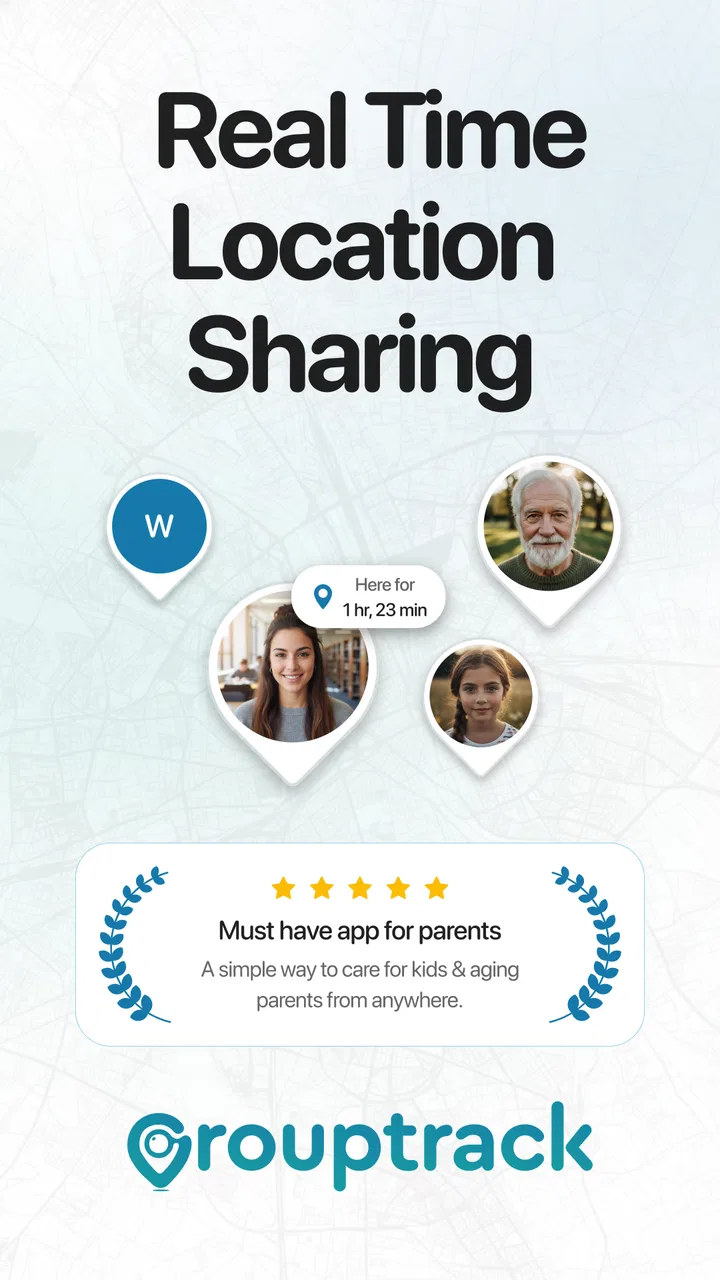
Find My Friends Phone Location belongs to the parenting category and is developed by Canopas Software LLP. Its central purpose is family location sharing, with GPS tracking and group-based awareness built around the idea of helping people know where trusted contacts are. That makes it more relevant to households, couples, caregivers, and small groups than to users looking for a general navigation app.
You May Also Like

 Blood Strike: 2.5 Anniversary
Blood Strike’s Loadouts Turn Every Drop Into a Tactical Gamble
A close look at Blood Strike’s custom loadouts: how fast access to signature weapons reshapes its battle royale rhythm, rewards preparation, and narrows the gap between fights.

 Pandora - Music & Podcasts
Pandora’s Music Is Easy to Start, but Harder to Recover
Pandora’s strength is its low-effort path from a seed to a station. Its weak spot is how much confidence it asks you to place in connection, setup, and quiet recovery.

 8 Ball Pool
 Is Built on Rivalries, Rematches, and Routine
A close look at the rivalries, rematches, shared routines, and unanswered safety questions that turn a quick pool match into a persistent mobile community.

 Samsung Music
’s Quiet Strength Is Playing What You Already Own
Its reach comes less from spectacle than from dependable access to a personal library. That simplicity is both the app’s strongest retention engine and its ceiling.

 AccuWeather: Weather Radar
AccuWeather Review: A Quick, Clear Forecast for Everyday Decisions
For everyday plans, the best forecast is the one you can understand quickly. AccuWeather makes rain timing, radar, and local conditions easy to act on, with a few trade-offs.

 Hill Climb Racing
Why Hill Climb Racing Still Turns Crashes Into One More Run
A tiny car, a bumpy hill and one more upgrade: Hill Climb Racing keeps resurfacing because its simple chaos makes every near-miss feel personal.
More From Our News Desk
View All News


The app is free to download, which makes trying it relatively easy. There are also in-app purchases ranging from $4.99 to $69.99 per item. That distinction is important: free access can be enough to explore the basic experience, while any decision to pay should be based on the value of the additional access you actually receive rather than on the promise of location sharing alone.
It is rated for Everyone, runs on Android versions from 8.0 onward, and its current version is 1.5.2731. The app was released on February 13, 2024. Its average rating is 4.1 from around 488 ratings, and it has passed 10K+ installs. Those figures suggest a modest but established user base, rather than the reach of the most familiar household location platforms.
That smaller footprint is not automatically a weakness. A family does not need millions of users for a location-sharing tool to be useful. What matters more is whether the people you want to connect with are comfortable installing it, keeping it available, and using it in a predictable way. If only one person adopts it, the practical benefit drops quickly.
A realistic school-day example
Imagine a parent coordinating a child’s trip home while also managing work and another child’s activity. Instead of sending several messages, the parent can use a shared location view to understand whether the family member is still travelling or has reached the expected area. The useful part is not constant checking; it is reducing small moments of uncertainty during a busy day.
The same idea can help when relatives meet at a crowded venue, when a caregiver needs to coordinate a pickup, or when a household wants a shared place for location updates instead of scattering them across separate chats. In these situations, the app’s value comes from making a routine easier, not from turning every journey into a monitoring exercise.
I would encourage families to agree on clear expectations before using it. Decide who belongs in the group, when location sharing is appropriate, and whether it is meant for occasional coordination or regular awareness. That conversation prevents the app from becoming a source of pressure. A location tool works better when everyone understands its purpose and accepts the arrangement.
What the free starting point means
The free price is a genuine advantage for people who want to test whether a family location workflow suits them. You can judge the setup experience, see whether your household is willing to participate, and decide whether the shared approach solves a real problem before considering an in-app purchase.
However, “free” should not be interpreted as a guarantee that every useful part of the experience is included without payment. The app has paid items, and their listed range is broad. Since the price alone does not tell me which specific functions each item unlocks, I would inspect the purchase screen carefully before paying. Look for the exact entitlement, whether it is one-time or recurring if stated in the app, and whether the feature addresses a problem your family actually has.
This is also where the app’s value becomes personal. A family that only needs occasional location sharing may find the free entry point sufficient. A household expecting a full suite of advanced safety tools may need to compare the paid offering closely with alternatives before committing. The sensible approach is to start small, involve the people who will use it, and treat payment as an upgrade decision rather than a requirement for trying the concept.
Useful habits that make location sharing work better
One practical insight is that group design matters more than group size. Adding every relative may seem convenient, but a smaller circle with a clear purpose is usually easier to manage. For example, one group for parents and children may be more useful than a large family group where important updates are mixed with unrelated movements.
A second useful habit is to use the app around specific routines. A pickup window, an evening return, or a shared outing gives people a clear reason to check the location. Constantly opening a map without a defined purpose can create anxiety and drain attention. I find location tools most helpful when they replace a particular repeated message or phone call.
A third trade-off is the difference between knowing a current location and knowing what happened earlier. A live map can help with coordination, but it should not automatically be treated as a complete record of a person’s journey or as proof that someone is safe. If a family needs a more formal safety process, it should agree on check-ins and emergency contacts separately instead of assuming the app can cover every situation.
Another small but important point is consent. A parent may introduce the app, but older children and other adults are more likely to use it consistently when they understand what is being shared and why. Clear boundaries also make it easier to stop using the service if it no longer feels helpful. The best family-location setup supports trust rather than replacing it.
Where it compares well with familiar alternatives
The usual alternatives fall into a few groups: built-in phone location sharing, messaging apps with temporary location updates, dedicated family locator services, and simply calling or texting. Find My Friends Phone Location sits closer to the dedicated family-locator side because its identity is centered on group location awareness rather than one-off navigation.
Compared with a normal text message, a dedicated app can offer a more organized routine for a household that shares locations regularly. A message saying “I’m here” is quick, but it becomes less useful when plans change or several people need to coordinate. A group-oriented tool may reduce that back-and-forth, provided everyone remembers to use it.
Compared with built-in phone tools, the main question is convenience and familiarity. Many people already have location-sharing options connected to their phone accounts, so moving to another app only makes sense if this particular group experience is easier for the family. If your relatives resist installing new software, an existing system they already understand may be the better choice.
Compared with a large, established family-tracking service, this app has a smaller public footprint. That does not determine quality by itself, but it does mean I would be more deliberate about testing it with the whole family before making it central to a safety routine. The right comparison is not “Which app has the most features?” but “Which option will our group actually keep using?”
Where the experience may create friction
The first limitation is participation. Location sharing is only useful when the relevant people join the same arrangement and keep using it. If one person disables sharing, forgets the app, or prefers another method, the family may end up checking multiple places anyway. This is a social and practical limitation, not something that a cleaner interface can completely solve.
The second is the risk of overreliance. GPS-based location information can be reassuring, but it should not be treated as an emergency guarantee. A map can support a conversation or help with a pickup; it should not replace direct contact when someone may be in danger or when plans have changed unexpectedly.
There is also a privacy trade-off. Sharing a location is sensitive, even within a family. I would avoid adding people merely because they are related, and I would review the group regularly. If a child grows older or a temporary caregiving arrangement ends, the sharing circle should be reconsidered rather than left running indefinitely.
The paid tier introduces another decision point. With individual purchases listed between $4.99 and $69.99, the upper end is a meaningful commitment for an app that some users may only need occasionally. I would not buy on impulse. First, I would identify the exact feature being offered, confirm that the family will use it, and compare the total cost with a familiar alternative that already serves the same purpose.
Who is likely to get the most value
This app makes the most sense for a household that wants a dedicated place for family location sharing and is willing to establish simple rules around it. Parents coordinating school travel, relatives sharing responsibilities, and small groups meeting in busy places are all plausible use cases. The free starting point is particularly helpful for these users because they can test adoption before spending money.
It can also suit people who prefer a separate family-focused tool instead of mixing location updates into personal messages. That separation may make routines easier to understand, especially when several family members need the same information. The benefit is strongest when everyone agrees that the app solves a recurring coordination problem.
I would be more cautious if your family already uses a built-in location service comfortably. Installing another app may add confusion rather than remove it. I would also skip it as a sole solution for urgent safety monitoring, formal care arrangements, or situations where you need guaranteed communication and a clearly defined emergency response process.
Users who are very sensitive about continuous location sharing should think carefully before joining any group. The right choice may be occasional, time-limited sharing through a tool the family already trusts. A dedicated app is not automatically better simply because it is dedicated; it has to match the privacy expectations of the people involved.
My value judgment before paying
For me, the strongest argument is the low-risk starting point. Because the app is free, a family can see whether it fits naturally into daily life instead of paying first and hoping everyone participates. That is a sensible model for a tool whose success depends on group adoption.
The paid value is harder to judge from the price range alone, so I would keep the decision practical. If a purchase removes a repeated inconvenience for your household and the people involved use the app consistently, it may be worthwhile. If it only adds another map to check, the expense is difficult to justify when free phone or messaging tools already cover occasional updates.
I also appreciate that the app’s purpose is easy to understand. It is not trying to be a general parenting planner in my assessment; it is centered on knowing where connected family members are. That focus can be a strength, but it also means you should not expect it to solve every part of family safety, scheduling, or communication.
My recommendation
My recommendation is to try the free experience first, with a small and clearly defined family group. Use it during a real routine, such as coordinating a pickup or meeting relatives, and see whether it reduces messages and uncertainty without making anyone uncomfortable. That trial will tell you more than the store summary or the rating alone.
Find My Friends Phone Location is a reasonable option for families seeking a focused location-sharing app from Canopas Software LLP. Its 4.1 average and 10K+ installs show that it has attracted users, while the Everyone rating and Android 8.0 compatibility make it accessible to many households. Still, the app should be judged by actual cooperation, privacy comfort, and the usefulness of its paid options in your specific routine.
I would choose it when the family wants one dedicated place for shared location awareness and is prepared to set boundaries around that sharing. I would skip it when an existing phone feature already works, when people do not want another installation, or when the situation demands a broader and more formal safety system. In short, it can deliver practical value, but only when the group treats it as a shared convenience rather than a substitute for communication and trust.
FAQs for Find My Friends Phone Location
01How does Find My Friends Phone Location work?
Find My Friends Phone Location uses GPS technology to track the real-time location of friends and family members who have shared their location with you. The app requires both parties to have the app installed and permissions granted for location sharing. This ensures privacy and security while providing accurate location updates.
02Is Find My Friends Phone Location safe to use?
Yes, the app is designed with user privacy in mind. Location data is only shared with individuals you have explicitly allowed. The app uses encryption to protect this data and requires mutual consent for location sharing, ensuring both parties have agreed to share their whereabouts.
03Can I use Find My Friends Phone Location without an internet connection?
An active internet connection is required for the app to function properly. It relies on data services to transmit location information between devices. Without an internet connection, location updates will be delayed until connectivity is restored.
04What platforms is Find My Friends Phone Location available on?
The app is available on both Android and iOS platforms. It can be downloaded from the Google Play Store and the Apple App Store. Ensure your device meets the minimum system requirements for optimal performance and features.
05Are there any additional costs associated with using Find My Friends Phone Location?
The basic version of the app is free to download and use. However, it may offer in-app purchases or premium features for a fee. These could include enhanced features like location history or ad-free usage. Always check the app details for any potential costs.
Pros
- Easy-to-use interface for quick location sharing.
- Real-time location updates are accurate.
- Battery-efficient compared to similar apps.
- Cross-platform compatibility enhances usability.
- Customizable privacy settings for user control.
Cons
- Requires constant internet connection.
- Location accuracy can vary in rural areas.
- Limited features in free version.
- Can be intrusive if privacy is not managed.
- Notifications can be overwhelming at times.

Find My Friends Phone Location
Gallery